KrutiDev Font Download
Download the KrutiDev 010 font free for typing exams, DTP work, and legacy government documents.
जगत सतत रहत हरषत बिनसत बनत। जथा।
Preview rendered in Noto Sans Devanagari — actual KrutiDev glyphs map differently on legacy keyboards.
Free TrueType font, direct download, no signup required.
How to install
- Download the .ttf file
- Right-click the file → Install
- Restart Word / WordPad
- Select "Kruti Dev 010" from the font list
- Download the .ttf file
- Double-click to open Font Book
- Click "Install Font"
- Restart your application
How to install Kruti Dev 010 on Mac (step by step)
Works on macOS Sonoma, Ventura, Monterey, Big Sur, Catalina, and other recent macOS (OS X) versions via Font Book.
- Click the Download button above to get the Kruti Dev 010 font file
- The file will be saved to your Downloads folder
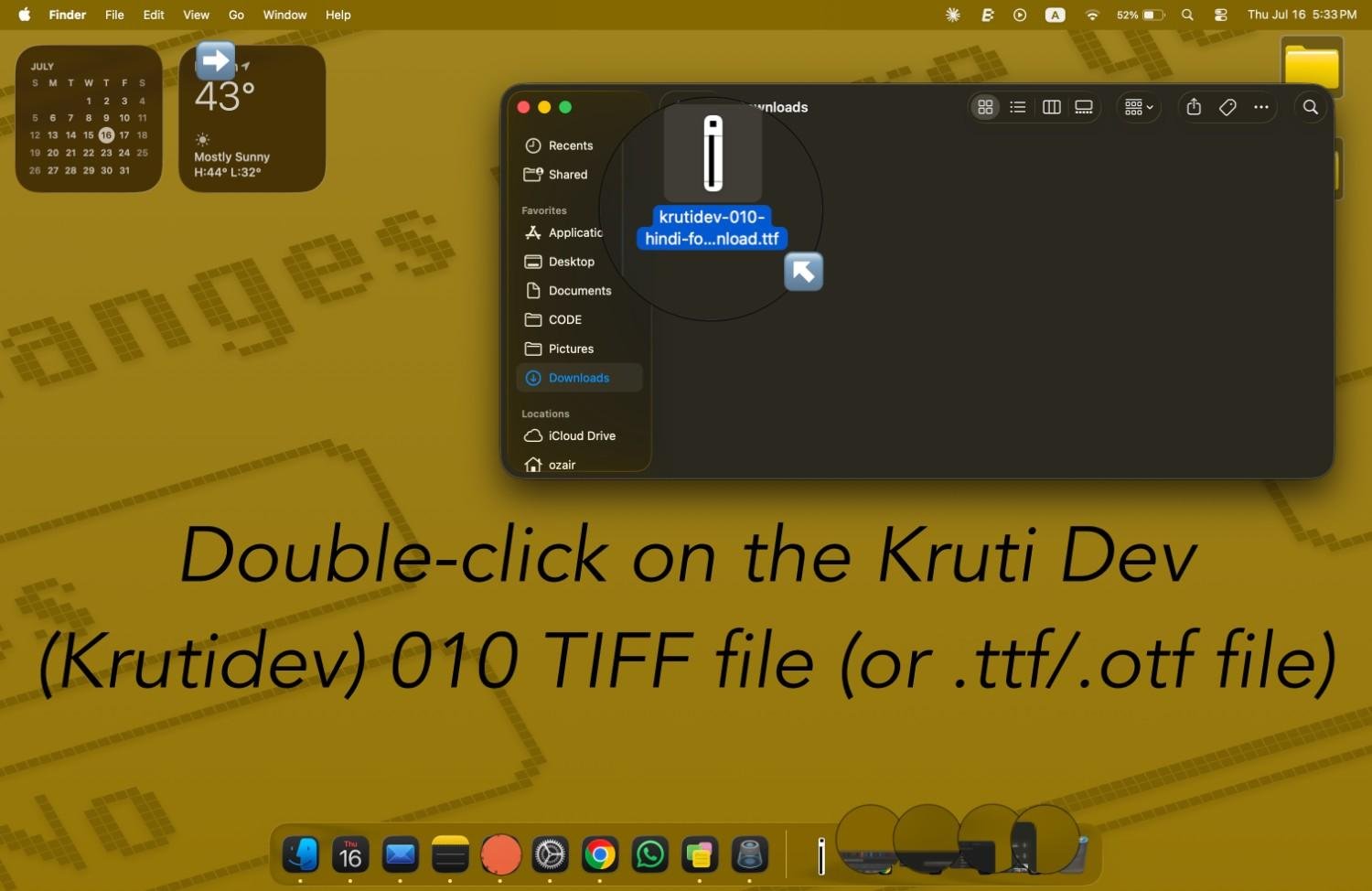
- Open your Downloads folder
- Double-click the Kruti Dev 010 .ttf (or .otf) file
- This automatically launches the Font Book application
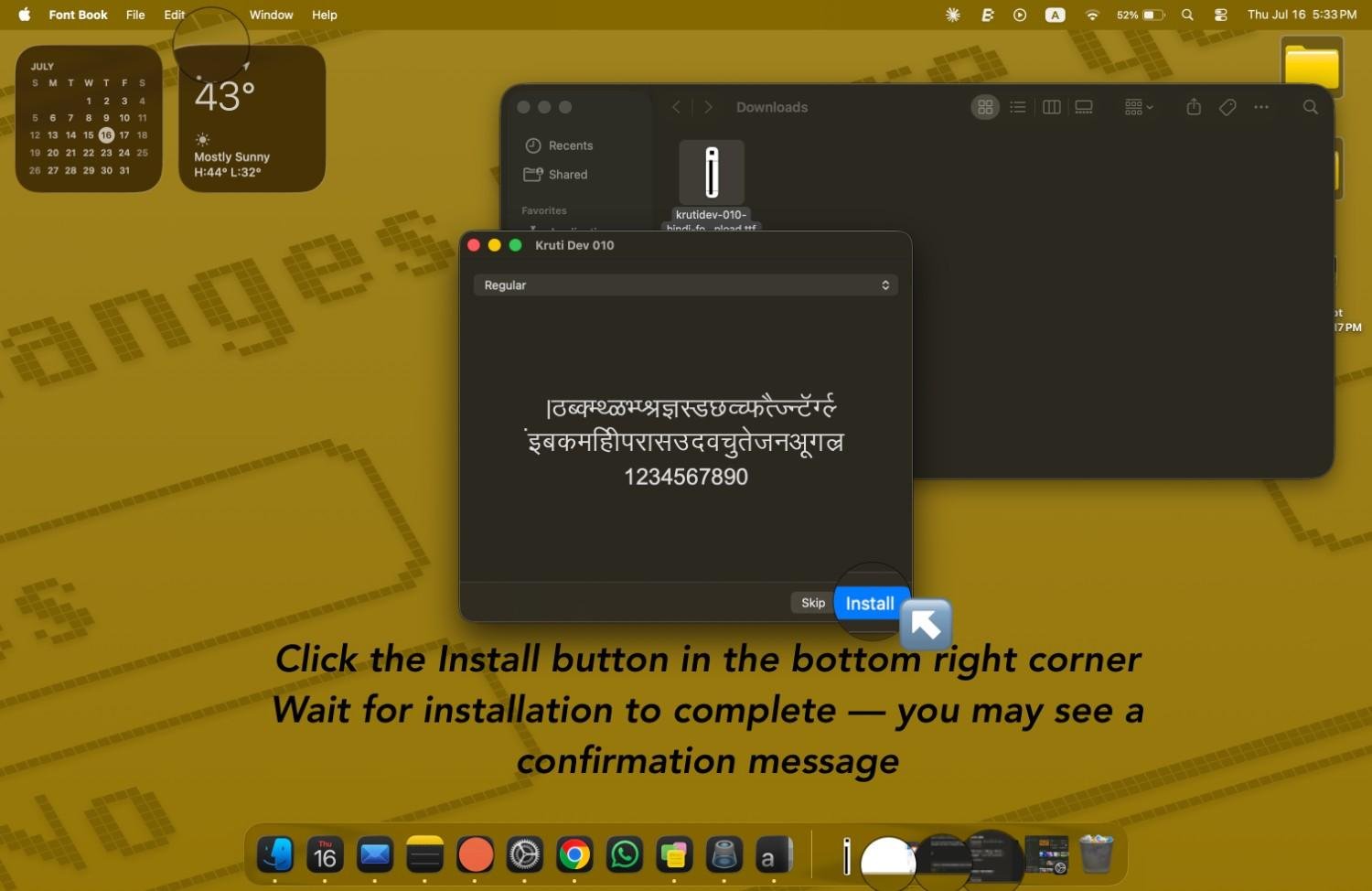
- A window pops up showing the Kruti Dev 010 font preview
- Click the Install button in the bottom right corner
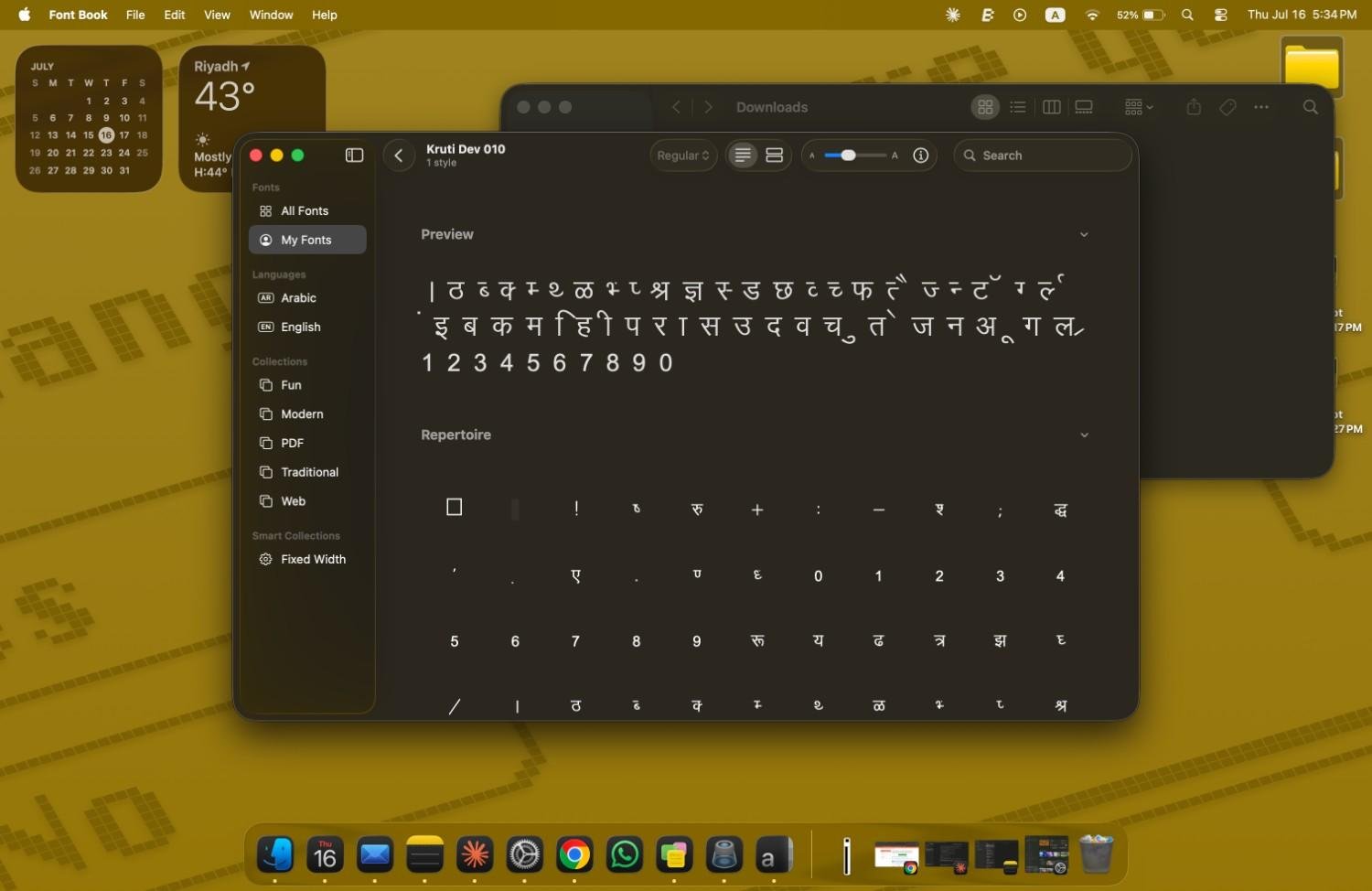
- Wait for installation to complete — you may see a confirmation message
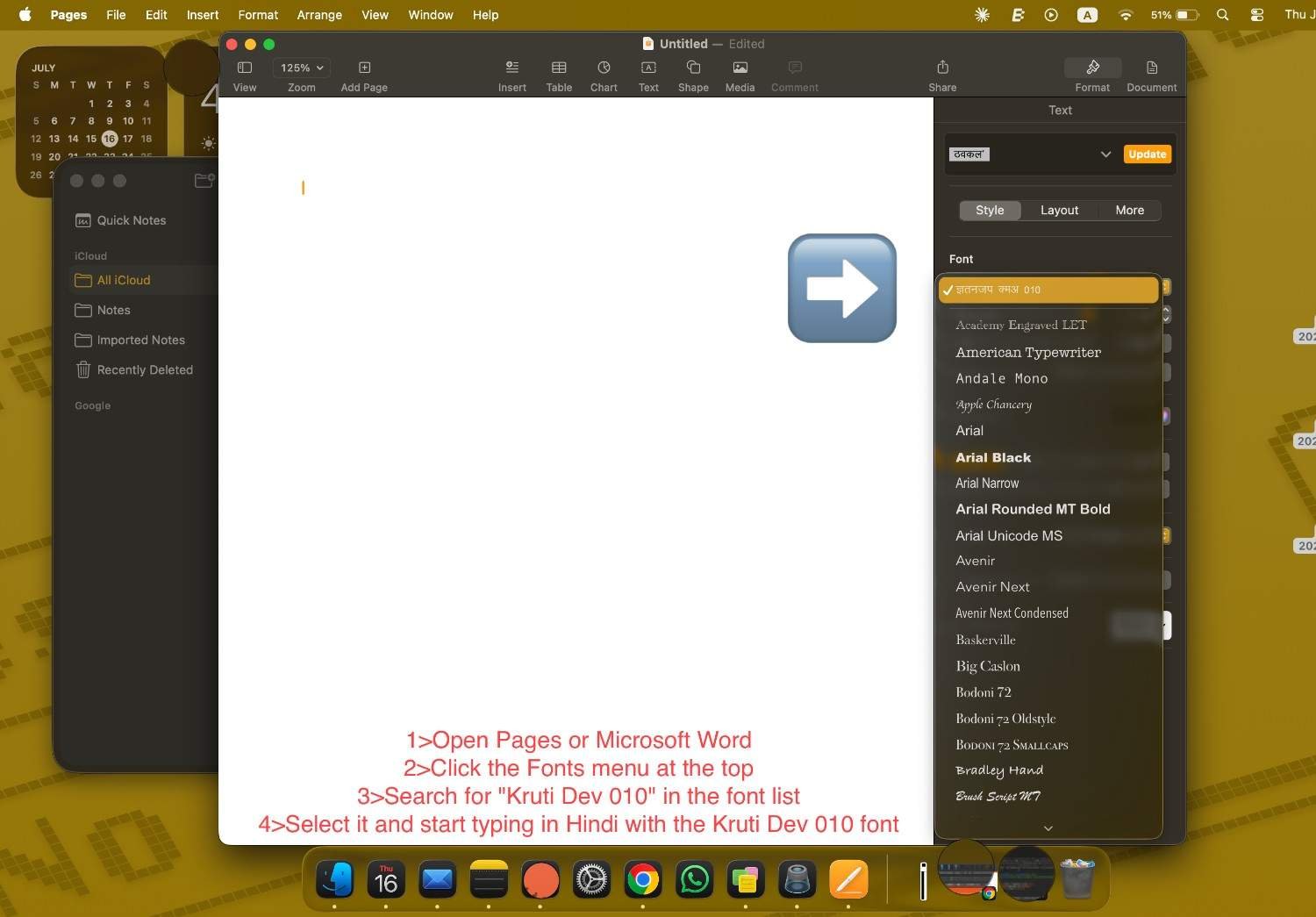
- Open Pages or Microsoft Word
- Click the Fonts menu at the top
- Search for "Kruti Dev 010" in the font list
- Select it and start typing in Hindi with the Kruti Dev 010 font
Have KrutiDev text you need to modernize? Use KrutiDev to Unicode to convert legacy files instantly — no font install required. For the reverse direction (typing Unicode back into KrutiDev for offline use), try Unicode to KrutiDev. Preparing for a government typing exam? Practice with our Hindi typing test to build CPCT and SSC speed. If Hindi still shows as empty rectangles after installing the font, the cause is usually something else entirely, and this guide to Hindi text showing boxes walks through how to tell which problem you have.
FAQ
KrutiDev 010 has been freely distributed for decades and is used throughout Indian government offices, DTP shops, and typing institutes. We're not aware of any active licensing restrictions on personal or commercial use, but note that unlike Google's Devanagari fonts (which are formally OFL/Apache licensed), KrutiDev does not have a formal open-source license. Verify with your organization's compliance policy before commercial distribution.
That's the font working correctly — but you're seeing raw Latin characters because the surrounding text isn't marked as Kruti Dev. Select the text in your document and change the font to "Kruti Dev 010". The Latin letters will render as Devanagari glyphs via the Remington keyboard mapping.
No — the converter runs entirely in your browser and doesn't need any font installed. You only need Kruti Dev installed if you want to type in it directly (via a Remington keyboard layout) or view existing Kruti Dev documents on their own rendering.